TaskChef · A plugin for Codex desktop
TaskChef
The missing smart dispatcher and dashboard for Codex tasks
Less time managing tasks. More time moving them forward.

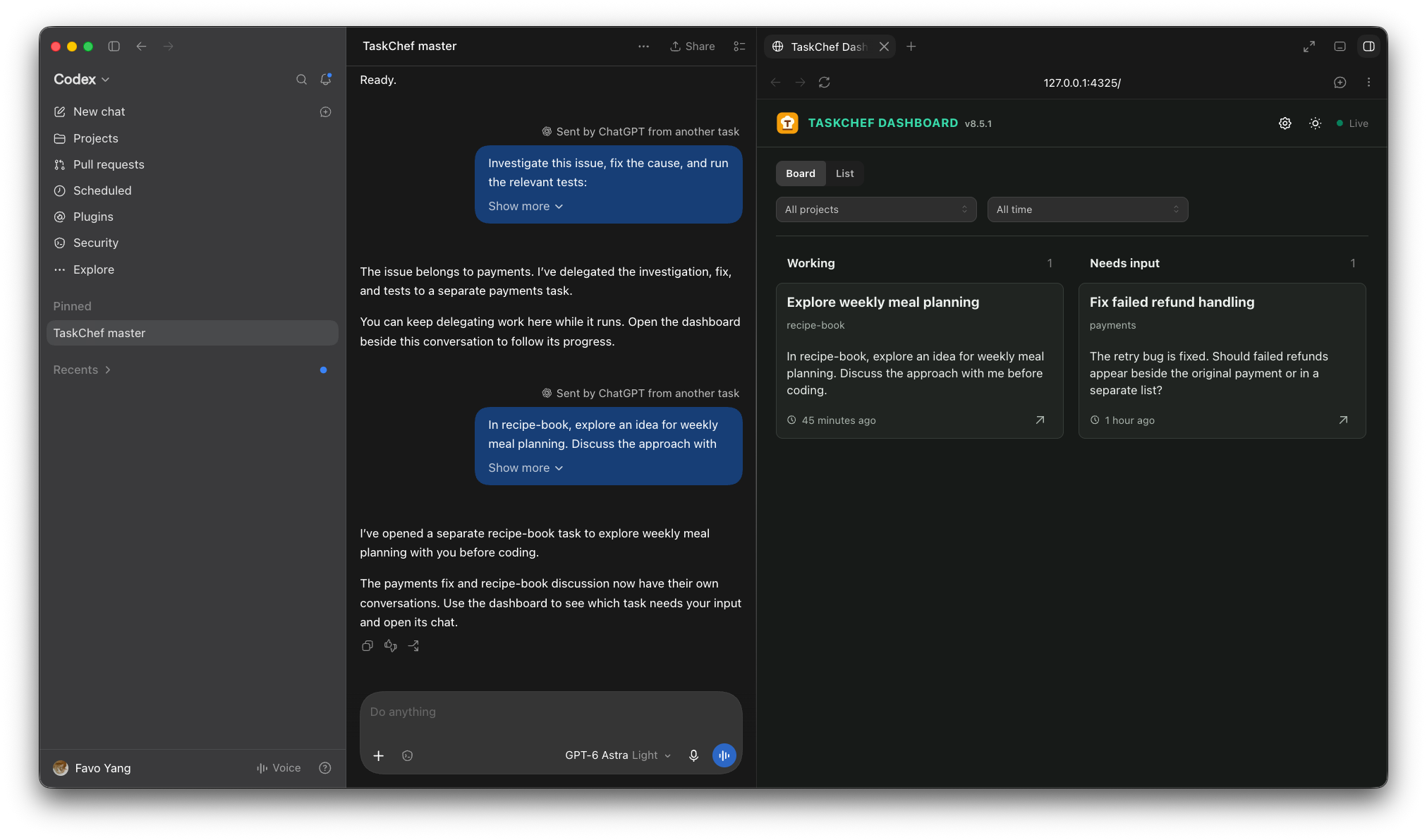
Delegate from one conversation
TaskChef uses your project names, conversation context, or saved repository mappings to route work. If the destination is unclear, it asks.
Keep every delegated task in view
Separate, ordinary Codex tasks can run in parallel. The dashboard shows what is working, finished, or waiting for your input.
Pick up with context
Open the original task from the dashboard to answer a question or continue the work in its own conversation, with Codex's native tools.
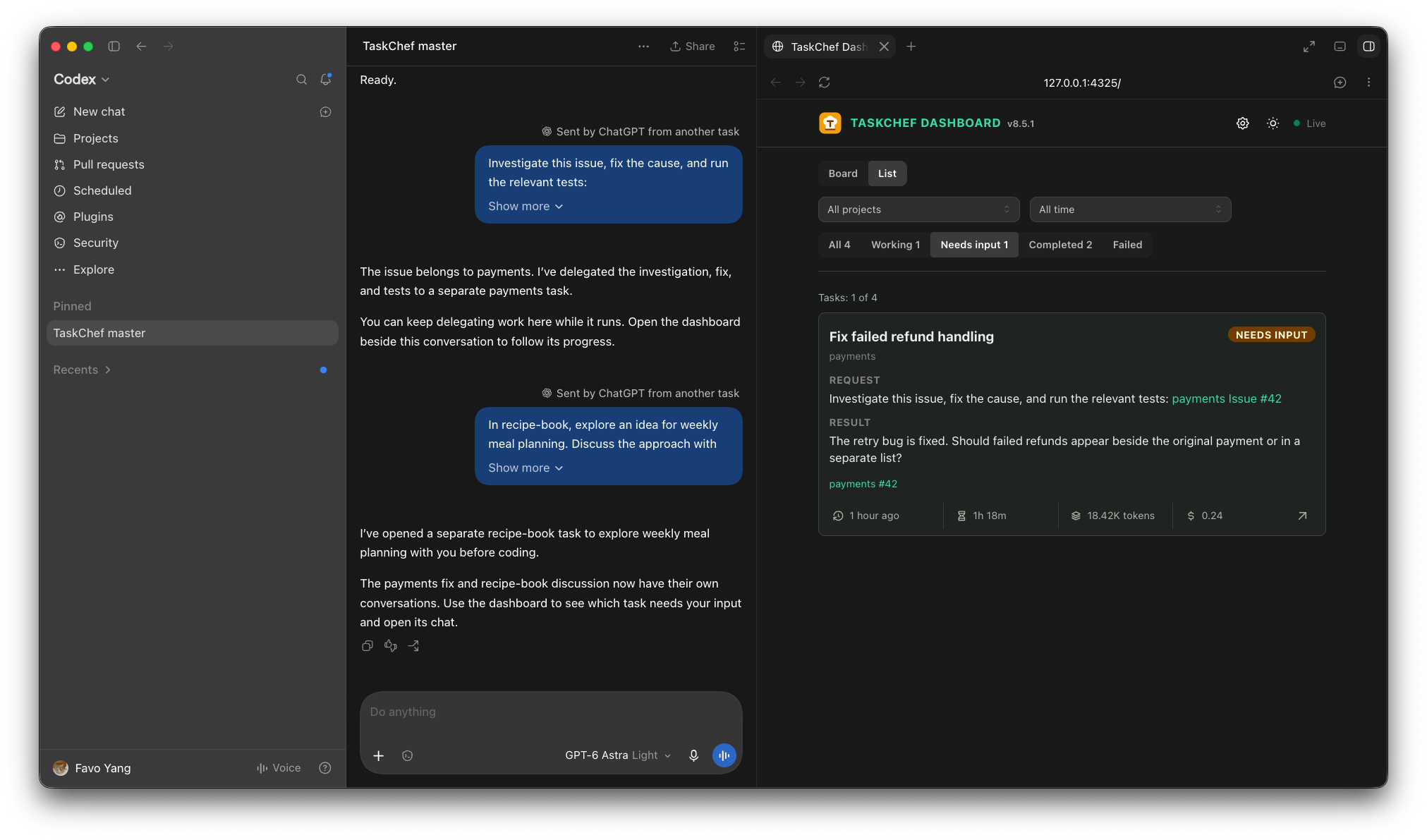
Switch to list view
Get a compact overview of your tasks and filter by status to find what needs your input.
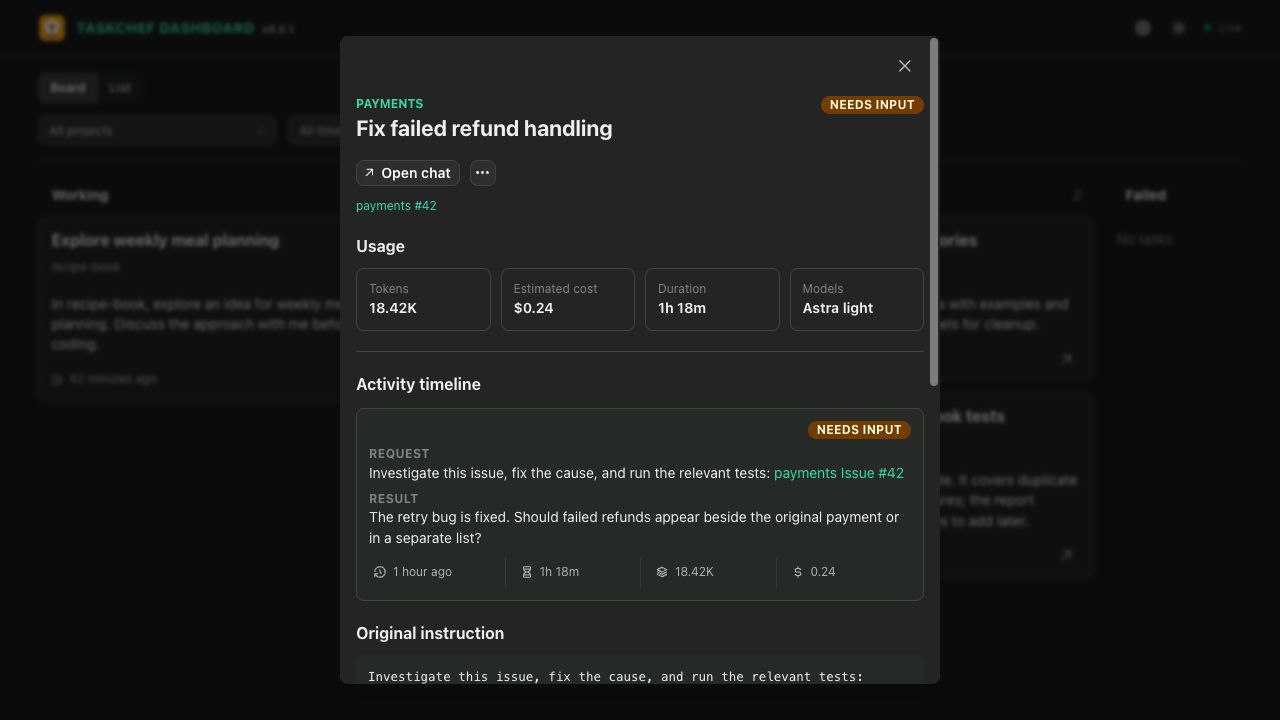
See the details behind each task
Review results and activity, track duration, tokens, and estimated cost per task and per turn, and jump back into the conversation.
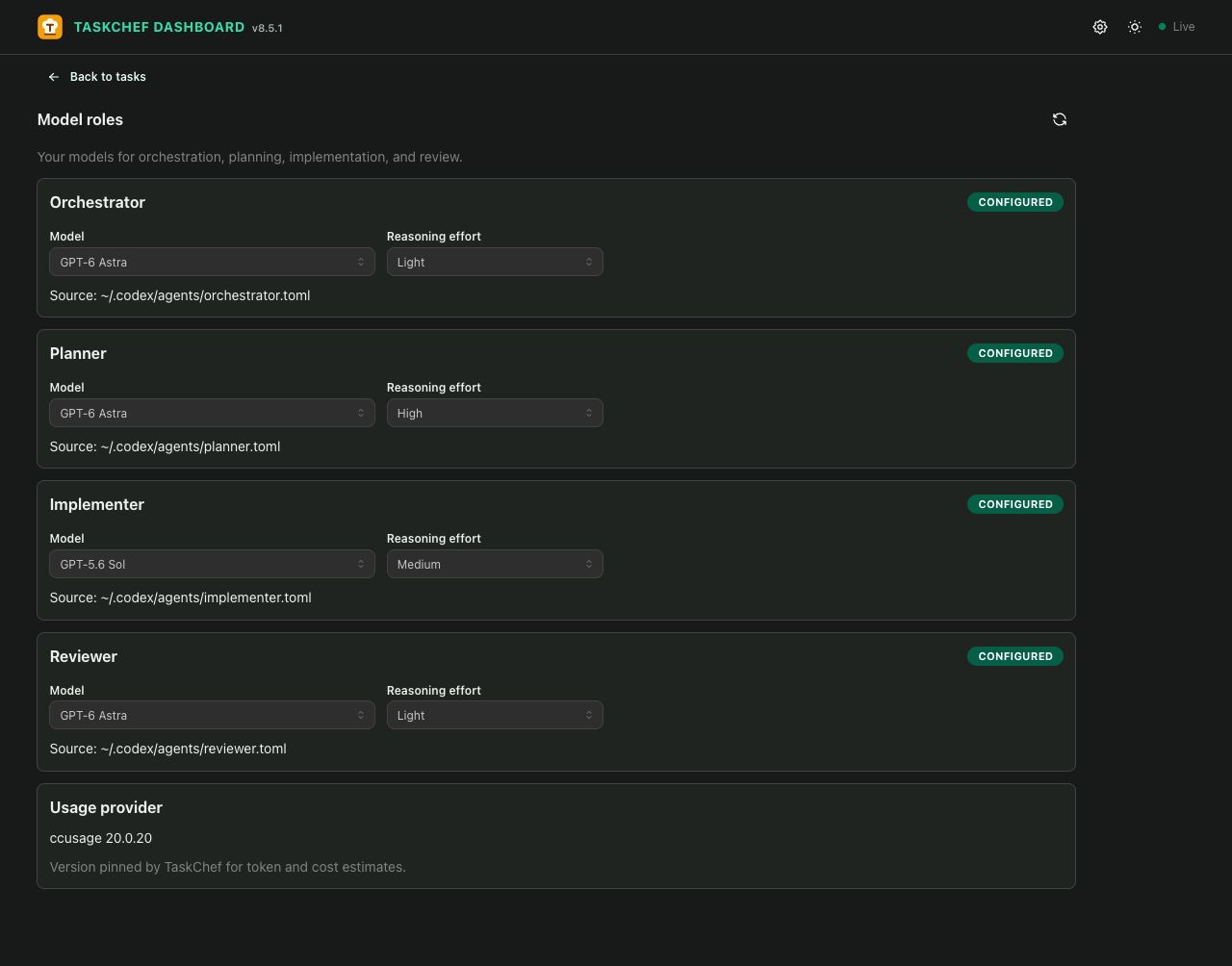
Choose models by role
Set the model and reasoning effort for orchestration, planning, implementation, and review.
Why I built TaskChef
How juggling projects and Codex conversations led me to build a dispatcher and dashboard.
Frequently asked questions
Does everything happen in one giant conversation?
No. The master conversation is mainly for delegation. Each task runs in its own Codex conversation, with its own context and room for detailed discussion. You can have several tasks running in parallel.
How does TaskChef know which project I mean?
It uses project names, the current conversation, and saved repository mappings. A GitHub issue link often provides enough information to find the right project. If you’re continuing a discussion about the same project, you usually don’t need to name it again.
Routing improves over time as you confirm project names or correct a destination. TaskChef remembers those associations for future delegations. When the destination is unclear, it asks.
Can I jump into a delegated task and work with it directly?
Yes. Follow the link after delegation, or choose Open chat in the dashboard. You can clarify an idea, answer questions, review a plan, or continue implementation in that task’s original conversation.
TaskChef helps you work with Codex. It doesn’t replace your involvement or assume every task should run unattended.
Do I have to use the dashboard?
No. If you’re working on one project with a couple of active conversations, Codex’s recent tasks list may be all you need.
The dashboard becomes useful when several projects and tasks are competing for your attention. Use its board or list view to see what’s working, what needs input, and what has finished.
Can TaskChef track conversations I started myself?
TaskChef tracks only tasks it delegates. It doesn’t automatically import or manage your other Codex conversations.
Do I have to use the master conversation to delegate?
No. You can explicitly invoke the $taskchef-delegate skill in any Codex conversation to delegate work.
A pinned TaskChef master conversation is simply a convenient place to start most of your requests.
How do model roles work, and can they reduce costs?
You can set a model and reasoning effort for orchestration, planning, implementation, and review in the dashboard settings. TaskChef applies those preferences when creating the corresponding tasks or subagents, so you don’t have to repeat them in every request.
Using a lighter model for some roles can reduce usage, but savings depend on your choices and the work involved.
Where does TaskChef store my data?
TaskChef stores its project index, task records, and dashboard data locally under ~/.agents/taskchef. The conversations themselves remain in Codex.
Local dashboard storage doesn’t mean the AI runs locally: your requests still go through Codex and the services you use with it.
Does it require another subscription or API key?
TaskChef doesn’t require a separate TaskChef subscription or API key. It works with your existing Codex setup, and delegated work uses your normal Codex access and usage limits.
How is it different from Firstmate?
Firstmate was a major inspiration for TaskChef.
I wanted a similar delegation workflow built around the Codex desktop app: ordinary Codex conversations, direct links back to each task, and a dashboard that sits beside the conversation in the integrated browser. TaskChef is shaped around that desktop workflow.