AI has made it much easier for me to start another side project. Maintaining all of them is still a headache.
An open-source project gets a bug report. Someone asks for a feature in another repository. Meanwhile, I have an experiment of my own that I want to try. The agents can work on these in parallel, but I still have to pick the right project, start each conversation, and remember where to return when something needs me.
I made TaskChef to help with that part. It's a Codex plugin with a dispatcher conversation and a local dashboard for the tasks I delegate.
Why I wanted this in Codex desktop
The inspiration came from FirstMate. I worked with it and liked the idea of giving work to one agent that could delegate it across projects. Its terminal workflow made choices that didn't quite fit how I wanted to work, but it gave me a useful starting point.
I've been spending more time in Codex desktop. Computer use, plugins, and the integrated side browser make it a convenient place for me to work. I wanted a similar delegation experience there, with the tasks staying in ordinary Codex chats that I could open and continue myself.
One place to drop the next task
I keep a pinned conversation called "TaskChef master". When a GitHub issue comes in, I can drop the link there and ask it to investigate and fix it. I can also start with something much less specific:
In recipe-book, explore an idea for weekly meal planning.
Discuss the approach with me before coding.
I don't always have a specification ready when an idea occurs to me.
TaskChef uses the project name, recent conversation context, and indexed repository mappings to find the destination. A GitHub issue URL is particularly useful because it identifies the repository. If the destination is ambiguous, it asks me to choose.
It can save routing hints from explicit choices and corrections, so I don't have to keep explaining the same project nickname. I can still tell it exactly where a task belongs.
The dispatcher starts a separate chat in that project and gives me a link to it. Then I can delegate something else while the first task works.
The conversation continues where the work happens
A complex feature often takes many rounds of discussion before it ships. I might disagree with the first approach, notice an awkward edge case, or only understand what I want after seeing a first version.
Those conversations belong in the task's own chat. The master is mainly where I dispatch work. I can return to a feature without digging through a giant conversation about several unrelated projects.
Sometimes delegation is just a starting prompt for a discussion or a plan. Other times I can give a detailed goal and let the agent implement it within the boundaries I've set. TaskChef leaves that choice to me. The task is an ordinary Codex conversation, and I can keep talking to it as the work develops.
When the recent-task list gets crowded
With only a few things going on, Codex's recent-task list is fine. I don't need a board for every small change.
But imagine three projects with three ongoing tasks each. Some are working, some have finished, and one is waiting for an answer. A list ordered by recency makes me open conversations just to work out which one needs my attention.
This is where I find the dashboard useful. It groups delegated tasks into Working, Needs input, Completed, and Failed, with a project filter when I want to focus on one repository. Several tasks can be in Working at the same time.
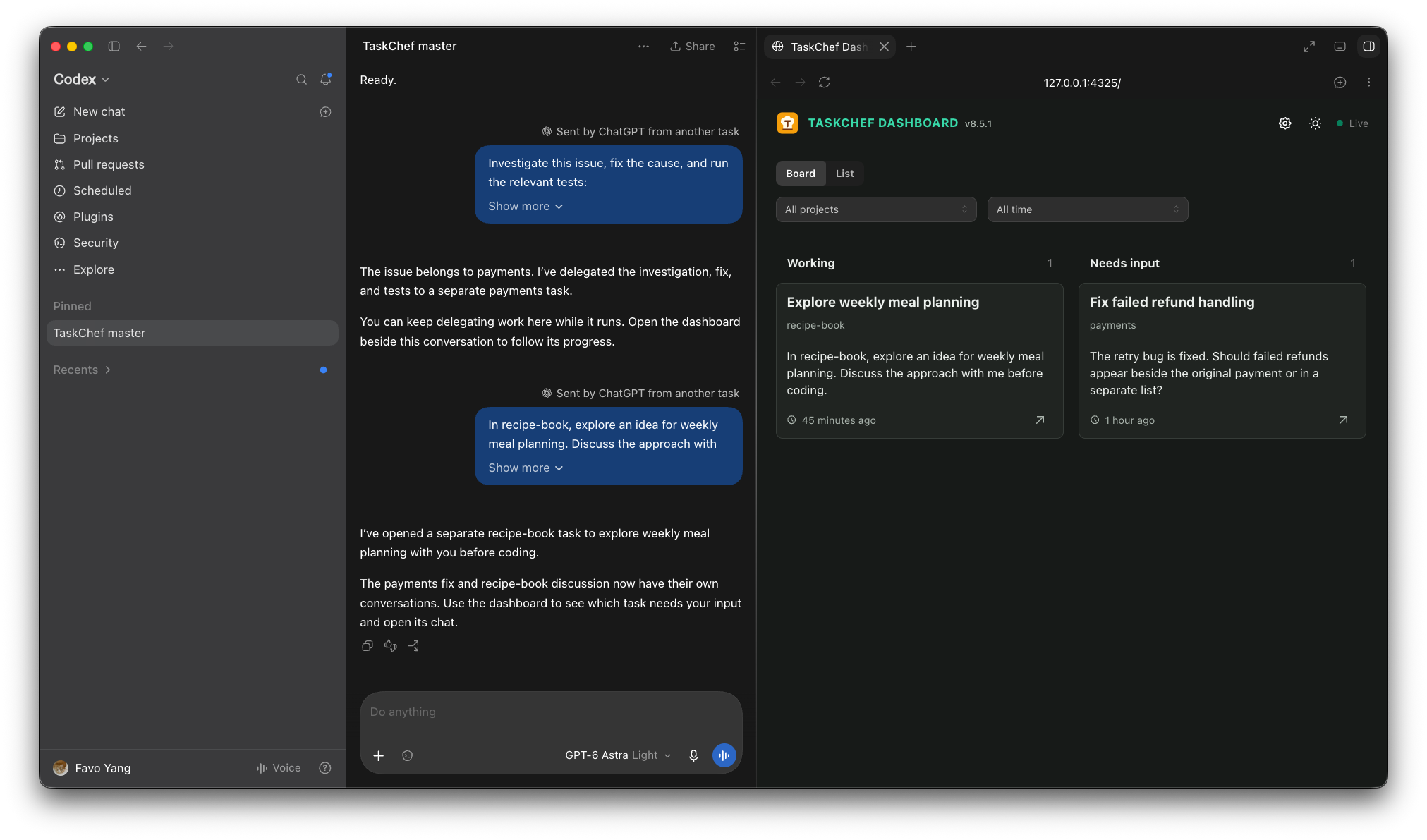
The dashboard beside TaskChef master. The screenshots in this post use illustrative demo data.
Needs input is often the first thing I check. The last-turn summary tells me why the task stopped, so I can decide where to spend my attention. In the example below, a payments task needs a product decision about how to display a failed refund. I can read the question, choose Open chat, and answer in the original conversation. Codex's Back button takes me back to the master.
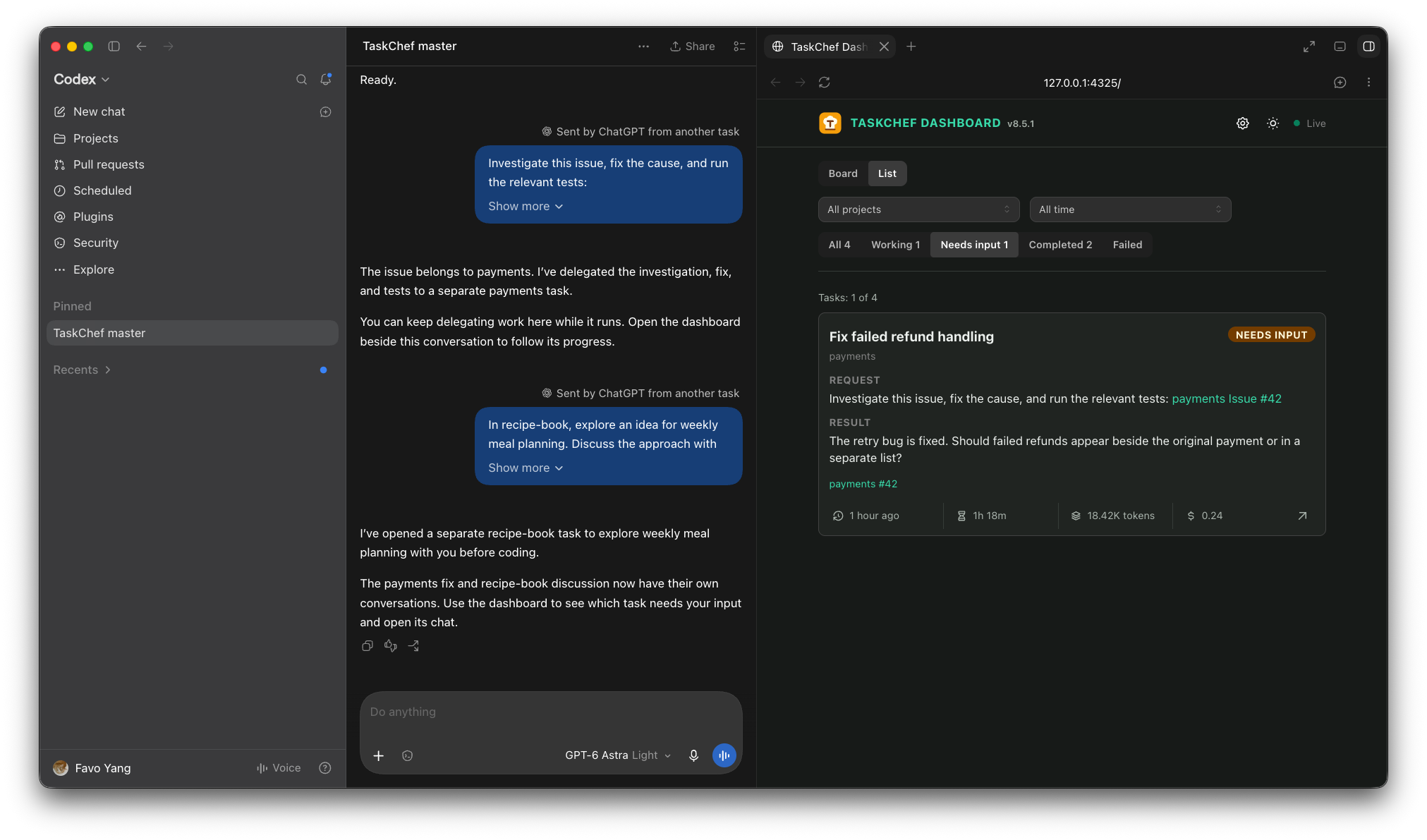
List view gives the request and latest result more room. Board and list are two ways to look at the same tasks.
Results update the dashboard instead of filling the master chat with completion messages. The task reports its status as it works; the dashboard gives me a place to see those reports together.
I designed it to sit in Codex's side browser beside the master conversation. After setup, the dashboard normally starts when the TaskChef plugin activates in Codex, and each delegation response includes its URL. I don't usually need to start a separate server myself. If it isn't available, I can ask $taskchef-dashboard to bring it up.
Set model preferences once
Another thing I wanted to stop repeating was which model and reasoning effort to use for different work.
The dashboard settings have four roles: Orchestrator, Planner, Implementer, and Reviewer. I can set a model and reasoning effort for each, then reuse those choices on future tasks. An explicit choice for a particular task takes precedence.
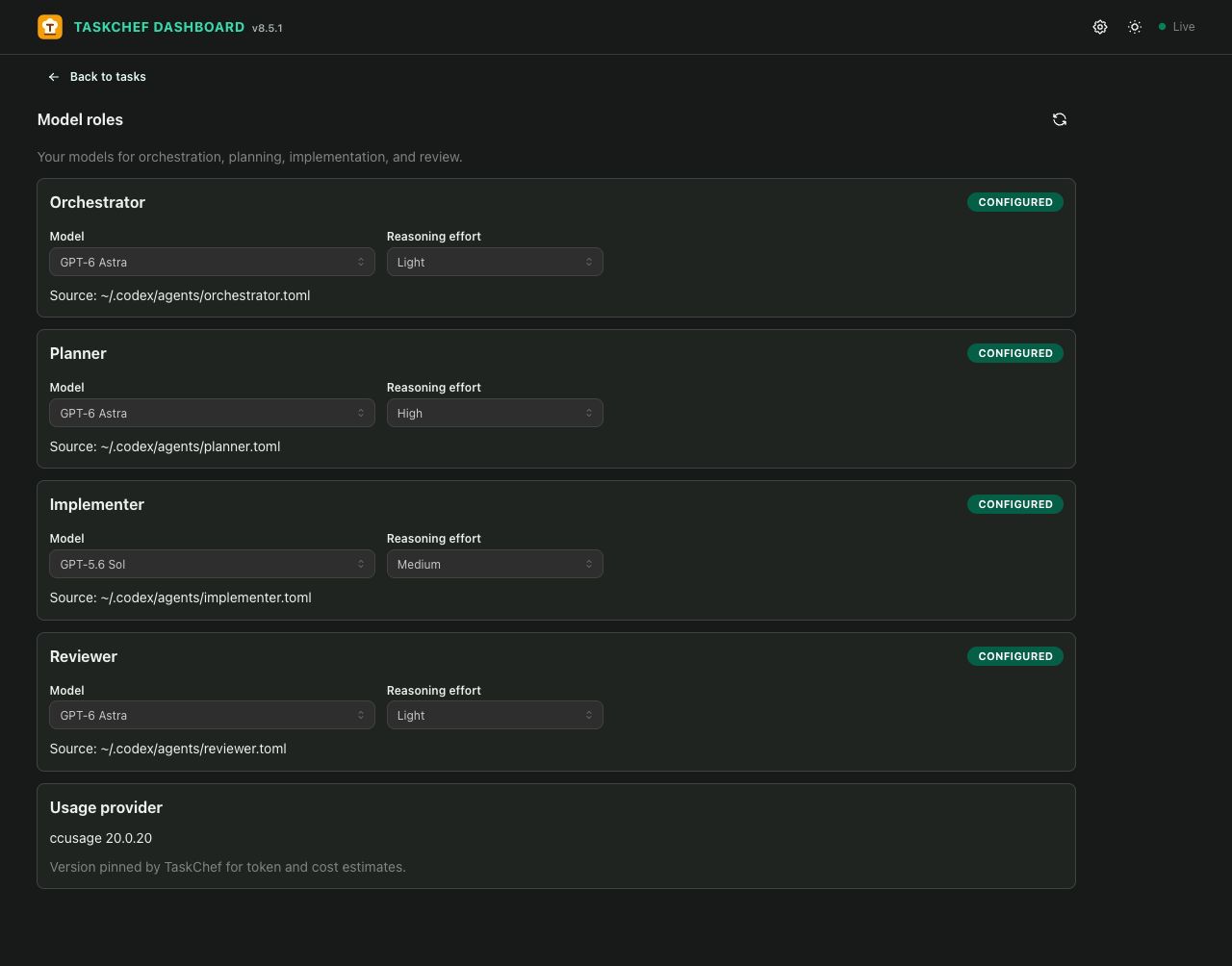
Model preferences for each role, saved for future work.
A new task uses the Orchestrator preference for its main conversation and the other preferences for separate subagents when the work calls for them. A direct implementation request can skip planning. The visible conversation keeps its model.
This helps me make token and cost tradeoffs without repeating those choices in every prompt. Task details also show reported agent duration, token usage, and estimated cost for the whole task and individual turns. Duration measures time spent on turns. Cost is an API-equivalent estimate, not my bill, and usage figures aren't always available.
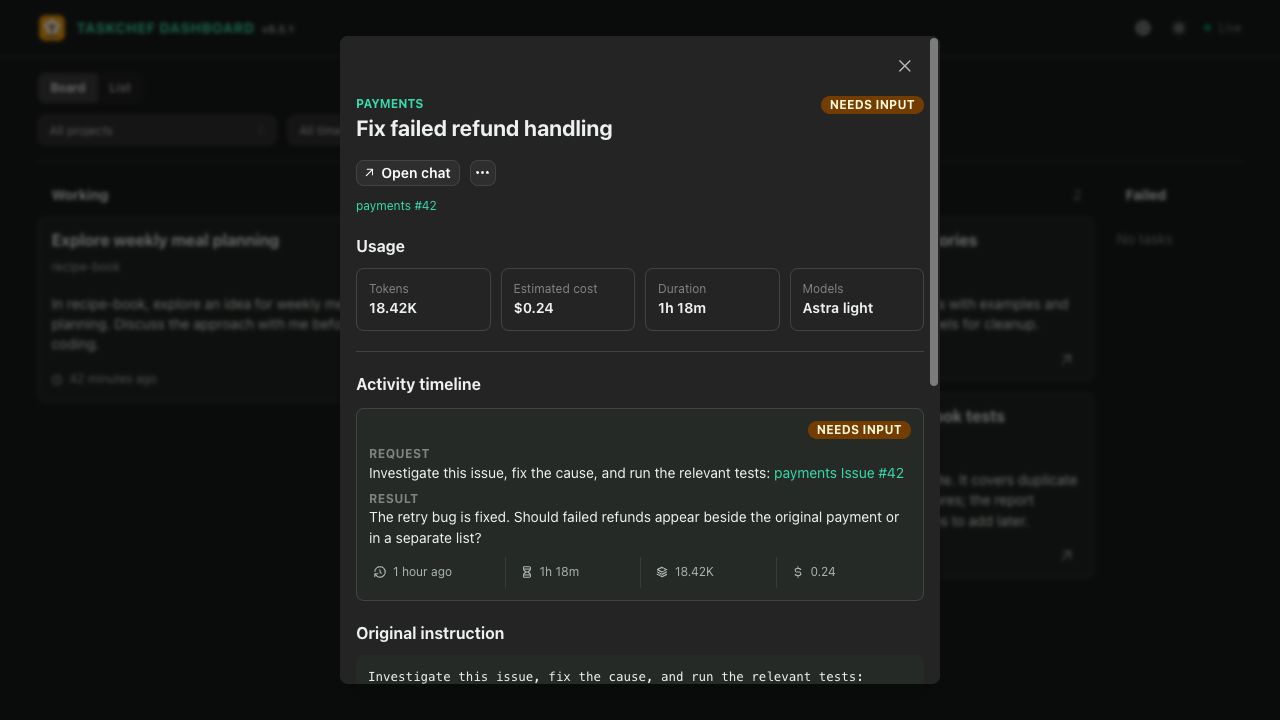
A demo task's reported usage and estimated cost.
Those numbers are useful additions. Most of the time, I open the dashboard because I want to find the task waiting for me.
Try it on one project
The TaskChef page has an overview, and the GitHub README has installation and setup instructions. You can start with one project and a small delegation, then use the dashboard more as the work gets crowded.
I'm also entering TaskChef in the Product Hunt GPT-6 Astra Challenge. Astra helped me build and iterate on parts of the project faster. Having a capable model available made it easier to keep working on a side project alongside everything else.
The thing I wanted for myself was fairly simple: drop the next piece of work somewhere, keep the detailed conversation with that task, and find it again when it needs me.
Comment on this X post to discuss this article.