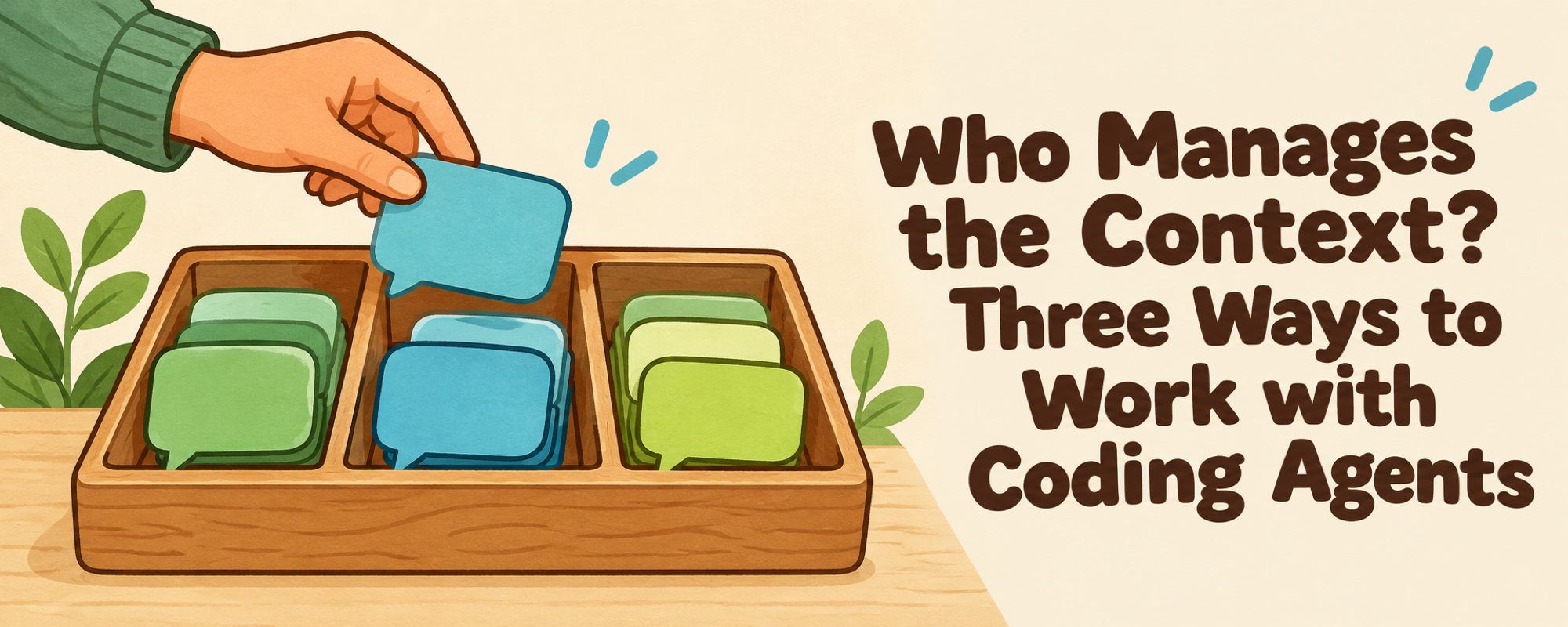
When I work with coding agents across several projects, I spend a surprising amount of energy managing the conversations.
One chat is fixing a bug. Another is implementing a feature. Somewhere else, I'm discussing an idea that may or may not become a project. Then a blue unread dot appears, and I go back to see what happened.
Once you have a dozen chats, keeping track of them becomes work on its own. The agents can do things in parallel, but your brain still has to switch between them.
I see three ways to manage this, and each puts the coordination work in a different place.
1. Manage every chat yourself
You open the coding agent, choose a project, start a new chat, and explain what you need. You do the same for the next task. You decide when to check progress, answer questions, review the result, and archive the conversation.
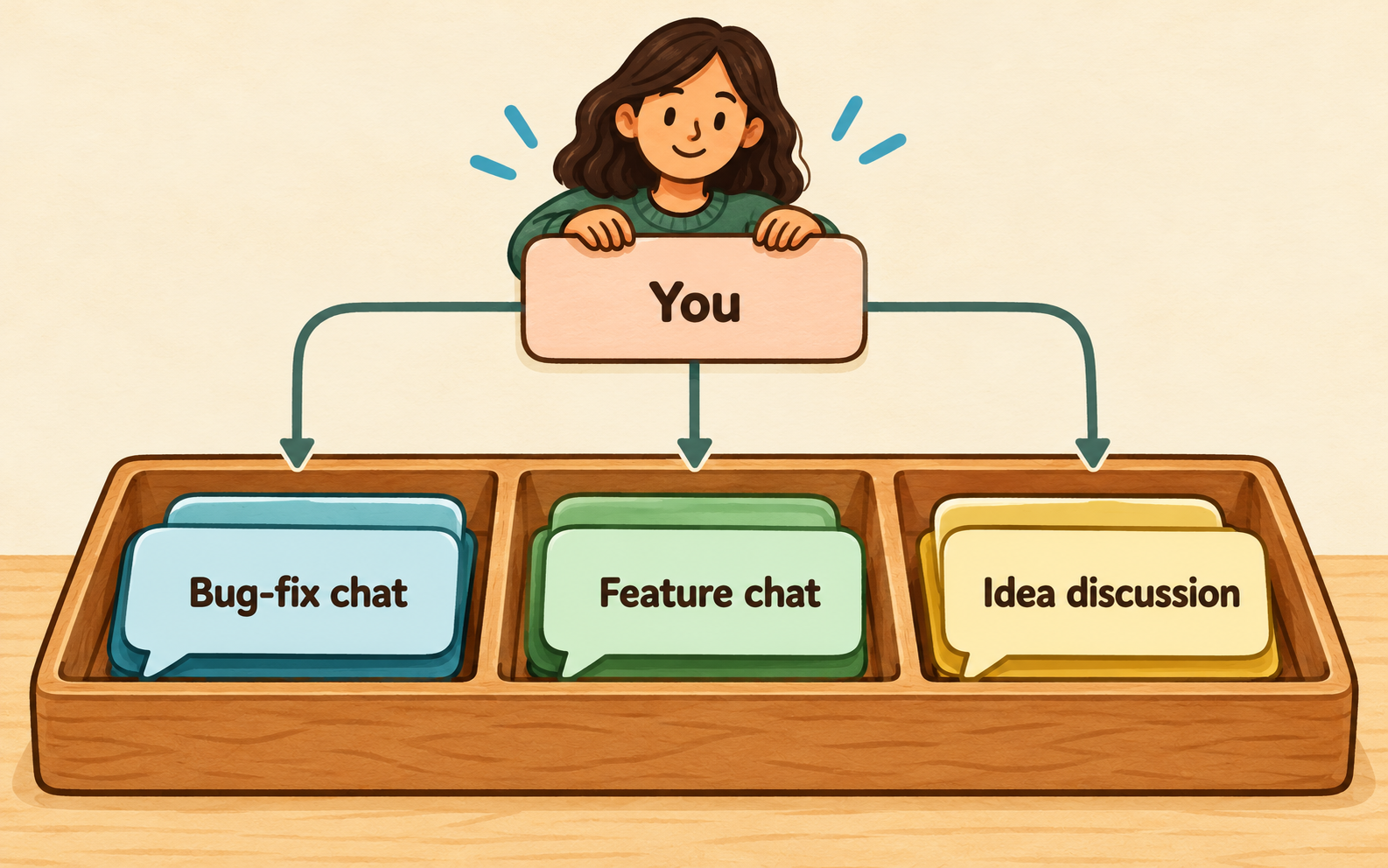
You start, guide, and review every conversation.
This gives you direct control. Every chat has its own purpose, and you can work with the implementation agent whenever you need to.
The problem is how tiring it gets. As the number of chats grows, you have to remember what each one is doing and why it needs your attention. You watch the unread dots and jump back and forth. Sometimes you open a chat just to remind yourself what you asked it to do.
This approach works fine when the workload is small. With several active projects, you start doing a lot of coordination yourself.
2. Use one master chat to delegate
You tell that chat what you want, and it finds the right project and starts an implementation chat. It needs some memory to do this well. That might come from the agent's session memory, or from routing notes saved in files.
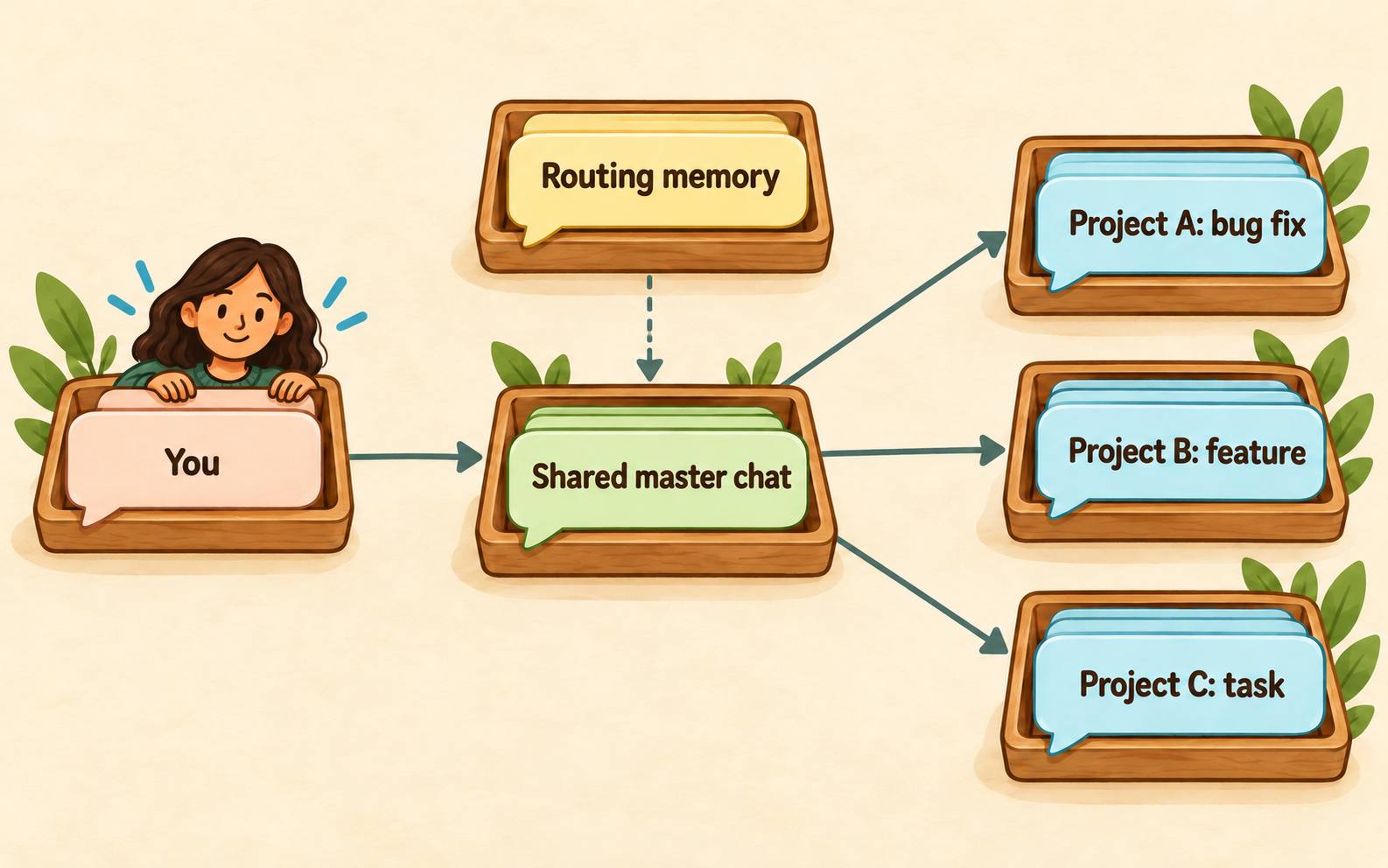
Solid arrows show assignments. The dashed arrow supplies routing context. Result reporting is optional.
The setup can be fairly simple. Tell the master chat to prefer delegation when you give it an implementation task. Let it remember the connection between the words you use and the projects you mean. A clue might be a project name, a GitHub repository, or a keyword you use often.
Over time, it can get better at understanding where your requests belong.
For example, you paste a GitHub issue link. The master chat recognizes the repository, finds the project, and creates a new chat to investigate and fix the bug. You skip the steps of finding the project and setting up the conversation yourself.
It feels a bit like hiring a project manager. You have one place to bring requests, and someone else handles the assignment. The same idea appears in personal-agent workflows, where one agent coordinates different parts of your work, including coding.
I find the delegation part useful. But a master chat can only absorb so much of the context switching.
Eventually, the results come back. You still have to understand what changed, decide whether it looks right, and answer any questions. If four tasks are running in parallel, they can all need your attention around the same time.
Sometimes that makes the master chat harder to use. You're reviewing one result, and updates from unrelated tasks arrive in the same thread. Now the conversation itself keeps changing subjects.
There is a natural complexity to doing four things at once. A middleman can handle the routing, but you still have to process the work.
3. Give each major project its own master chat
Project A has a chat that knows its context and delegates its work. Project B has another. Instead of hiring one project manager for everything, you hire one for each project.
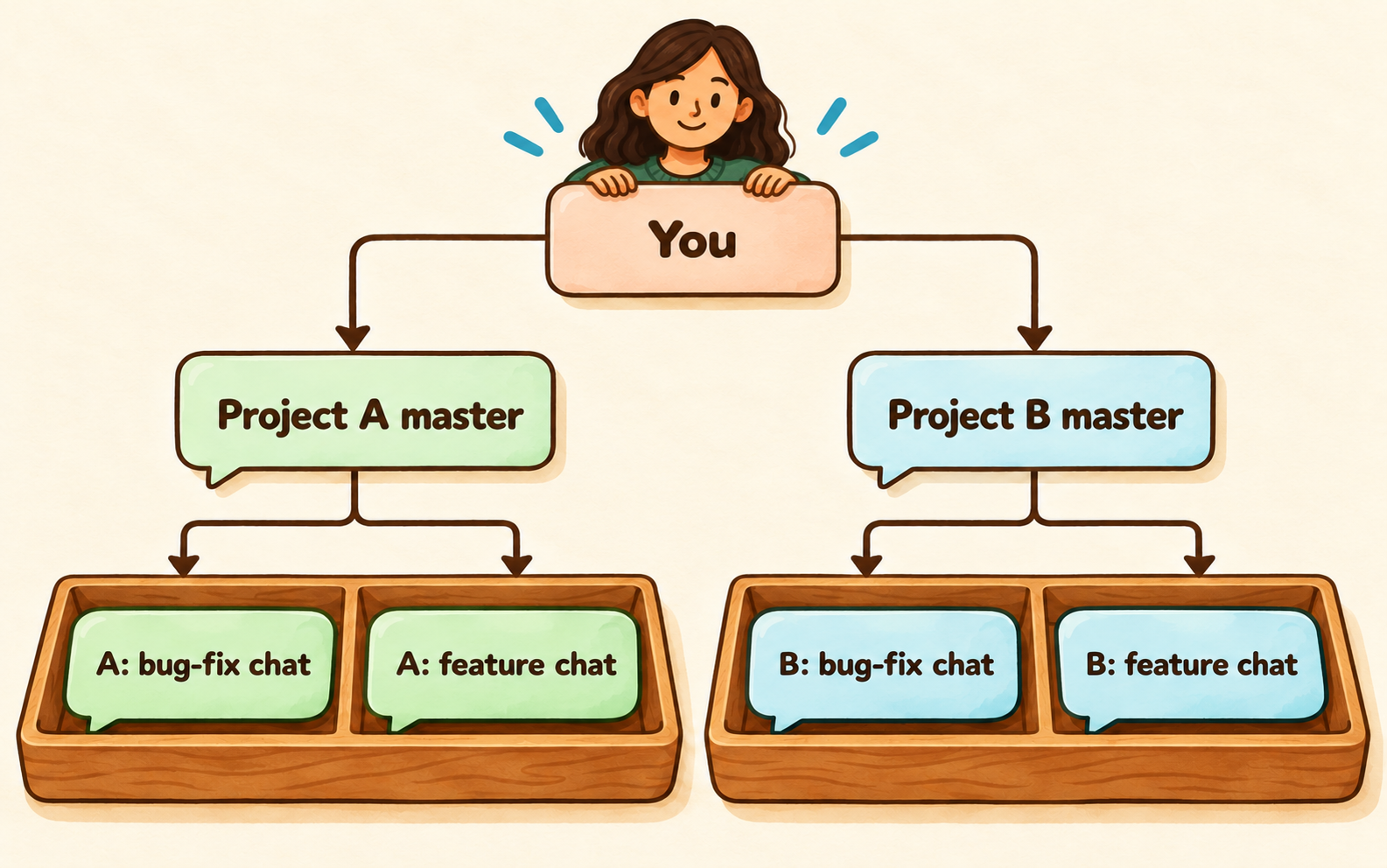
Each master keeps its own project context. A general delegator can sit above them.
This makes sense when you have a few major projects and want to keep their information separate. You can return to a project's master chat without carrying an unrelated discussion into it.
You can also combine this with the second approach. A general master chat routes a request to the right project's master chat. That project chat then decides how to handle it or delegates the implementation.
Whether the extra layer helps depends on your workload. If you only have a few tasks, it may add more coordination than it saves. If you regularly move between several substantial projects, the separation can be useful.
Mix the patterns to fit your work
Sometimes I want to open a new chat myself because I already know exactly where the task belongs. Other times, I want to drop a request into a master chat and let it handle the setup. I don't think every task needs to follow the same route.
In TaskChef, I implemented a small $taskchef:delegate skill to support the second and third approaches. It uses native Codex tools to find the right project and create a chat with the assignment and relevant context.
I was surprised by how little was needed. The skill is simple enough to read and adapt to your own workflow. You can use it from one general master chat or from several project-specific chats.
Should results go back to the delegator?
Some workflows encourage this. You give the master chat an assignment, it delegates the work, and it comes back with the result. That makes it behave more like a human manager.
I understand the appeal, but I often get impatient with the middleman. I don't always trust it to carry every detail back and forth correctly. If I need to guide the implementation, ask about a decision, or inspect something closely, I usually want to talk directly to the chat doing the work.
The coding agent already gives me useful ways to interact with that chat. I often go there, guide it through the remaining work, and archive it when I'm done. I don't need every exchange repeated in the delegator chat.
That is why I treat reporting back as a separate choice from delegation. An agent can save me the effort of starting and routing a task without becoming the permanent messenger for everything that follows.
Choose based on your workload
Which approach works best depends on how much you do with coding agents every day. For occasional tasks, managing chats yourself may be enough. As your workload grows, a shared master chat or a few project-specific ones may become worth the effort.
For my own work, I like having the freedom to mix them. I want help getting tasks to the right place, and direct access to the implementation when I need it.
P.S. Whichever approach you use, TaskChef gives you a visual dashboard for managing Codex chats as they multiply. I still want to see what is running, what needs my attention, and what I can archive.
Comment on this X post to discuss this article.